Never break flow state.
A menu bar app for voice and dictation in the ChatGPT desktop app. Spotify drops the moment you or the assistant speaks, then returns it to the exact volume it was at. No more choosing between the music and the conversation.
$10 once, no subscription. Apple Silicon Mac, macOS 14.2 or later, Spotify desktop app.
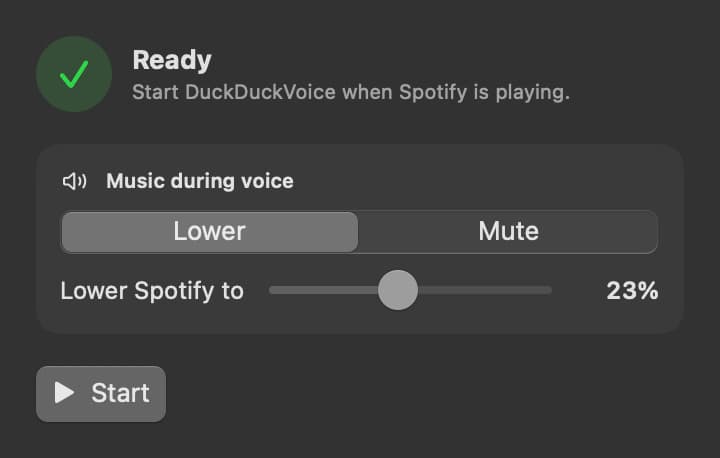
Direct Codex and ChatGPT Work by voice. Keep the music on.
Only Spotify changes
Your assistant, your calls, and everything else stay exactly where they are.
It waits out the thinking
Spotify stays down while the assistant works on your answer, not just while something is making noise.
It never listens in
Speech is detected on your Mac. Nothing is recorded, transcribed, uploaded, or stored.
Set it once and forget it.
Pick how quiet Spotify gets — lower it or mute it — and press start. DuckDuckVoice saves the choice on your Mac. No account, no login item, nothing left running once you quit.
Read the privacy policyEarly feedback
Total game changer for anyone who likes to listen to music while working. I can’t use GPT Voice without it.
I hate pausing Spotify every time I need to dictate or use GPT Voice. Truly seamless experience. Big upgrade to the Codex user experience.
Ten dollars, once.
$10
- One person, one payment, no renewal
- 14-day refund
Requires an Apple Silicon Mac on macOS 14.2 or later, the ChatGPT desktop app, and the Spotify desktop app.
Questions
What if the assistant takes a long time to answer?
Spotify stays down through the gap for up to 30 seconds. If no answer arrives, it lets go and your music comes back rather than staying quiet.
What do I need to run it?
An Apple Silicon Mac on macOS 14.2 or later, the Spotify desktop app, and the microphone plus System Audio Recording permissions macOS asks for. Assistant detection targets audio from the ChatGPT desktop app, covering the agents you direct in Codex and ChatGPT Work. Intel Macs are not supported yet.
Is this a subscription?
No. Ten dollars once, for one person, with a 14-day refund if it does not work for you. Questions go to support@duckduckvoice.com.